Gather valuable feedback and measure the success of your events with our Online Event Feedback Form Generator. This easy-to-use tool allows you to create professional feedback forms in minutes without installing any software or designing forms from scratch. Whether you’re organizing a business conference, training session, seminar, workshop, webinar, school event, fundraiser, exhibition, or community gathering, this generator helps you prepare customized feedback forms that can be printed or saved instantly.
Our generator is designed for event organizers, HR departments, educational institutions, nonprofit organizations, training providers, marketing teams, and businesses that want to collect structured participant feedback in a professional format.
Event Feedback Form Generator
Create a professional event feedback form online. Fill in the event details, customize questions, preview the form, and print or download it instantly.
Input Form Section
Event Details
Participant Details
Rating Questions
| Question Text | Sample Rating | Optional Comment Box | Action |
|---|
Open-Ended Questions
| Question Text | Answer Space Label | Action |
|---|
Live Preview Section
FAQs
Can I paste this tool into a WordPress Custom HTML block?
Yes. The complete HTML file is self-contained and designed for direct use inside a WordPress Custom HTML block.
Does the print button print only the feedback form?
Yes. The print button prints only the generated live preview area, not the input panel or other webpage content.
Can I add my own event feedback questions?
Yes. You can add rating questions, text questions, and custom questions, then preview and print them instantly.
Does this form collect feedback online?
No. This generator creates a printable or downloadable feedback form. It does not submit responses to a server.
Full Functionality
The Event Feedback Form Generator includes a wide range of customization options that allow you to build a feedback form tailored to your event.
Event Information
Begin by entering all the essential event details, including:
- Event title
- Event type
- Organizer name
- Event date
- Event venue or location
- Feedback form title
- Welcome message or participant instructions
These details automatically appear in the live preview, giving your feedback form a professional appearance.
Participant Information
You can also include participant information fields such as:
- Participant name
- Email address
- Phone number
- Organization or company
- Department
- Attendee category
This information helps identify responses and organize participant records efficiently.
Professional Rating Questions
The generator comes with professionally designed rating questions that allow attendees to evaluate different aspects of your event using a simple 1 to 5 rating scale.
Default evaluation areas include:
- Overall event satisfaction
- Speaker or presenter quality
- Relevance of the content
- Venue and facilities
- Event organization
- Registration experience
- Time management
- Food and refreshments
- Networking opportunities
- Likelihood of attending future events
Each rating question also includes an optional comment field for additional participant feedback.
Add Unlimited Custom Questions
Every event is unique, so the generator lets you fully customize the questionnaire.
You can:
- Add new rating questions
- Add open-ended text questions
- Remove unwanted questions
- Rearrange questions to suit your event
This flexibility allows you to create feedback forms for virtually any type of event.
Open-Ended Feedback
Encourage participants to provide detailed suggestions by including editable text areas such as:
- What did you enjoy most?
- What can be improved?
- Suggestions for future events
- Additional comments
These responses often provide valuable insights beyond numerical ratings.
Live Preview
As you enter information, the feedback form preview updates instantly. This real-time preview allows you to review the finished layout before printing or downloading, eliminating guesswork and saving time.
Automatic Summary
The generator automatically displays useful form statistics, including:
- Number of rating questions
- Number of custom questions
- Average rating placeholder
- Total evaluation sections
These summaries help organizers review the structure of the form before distribution.
Print-Ready Layout
The generated feedback form is optimized for professional printing. The Print button prints only the completed feedback form, excluding menus, buttons, and other webpage content, resulting in a clean, professional document.
Download Options
Once your form is complete, you can:
- Download it as an HTML file
- Save it as a PDF using your browser’s print feature
- Print it instantly
- Copy the generated form content for reuse
These options make it easy to share or archive your feedback forms.
Responsive Design
The generator works seamlessly across desktops, laptops, tablets, and smartphones. Its responsive design ensures a smooth experience regardless of screen size.
Professional Styling
The generated form features a modern, business-friendly design with organized sections, clear headings, properly aligned fields, readable typography, and print-friendly formatting. The layout is suitable for corporate meetings, conferences, educational institutions, government organizations, training sessions, and public events.
WordPress Compatible
The generator is built specifically for WordPress websites. It uses self-contained HTML, CSS, and JavaScript with uniquely prefixed classes to prevent conflicts with themes or plugins. Everything runs within a single container, making it safe to embed using a Custom HTML block or shortcode.
Why Use This Generator?
Instead of creating feedback forms manually in Word or Excel, this online generator enables you to build professional forms within minutes. It reduces formatting work, provides consistent layouts, allows extensive customization, and produces print-ready documents instantly.
Whether you organize one event each year or hundreds every month, this Event Feedback Form Generator helps you collect structured, professional feedback quickly and efficiently.
MS Word Templates
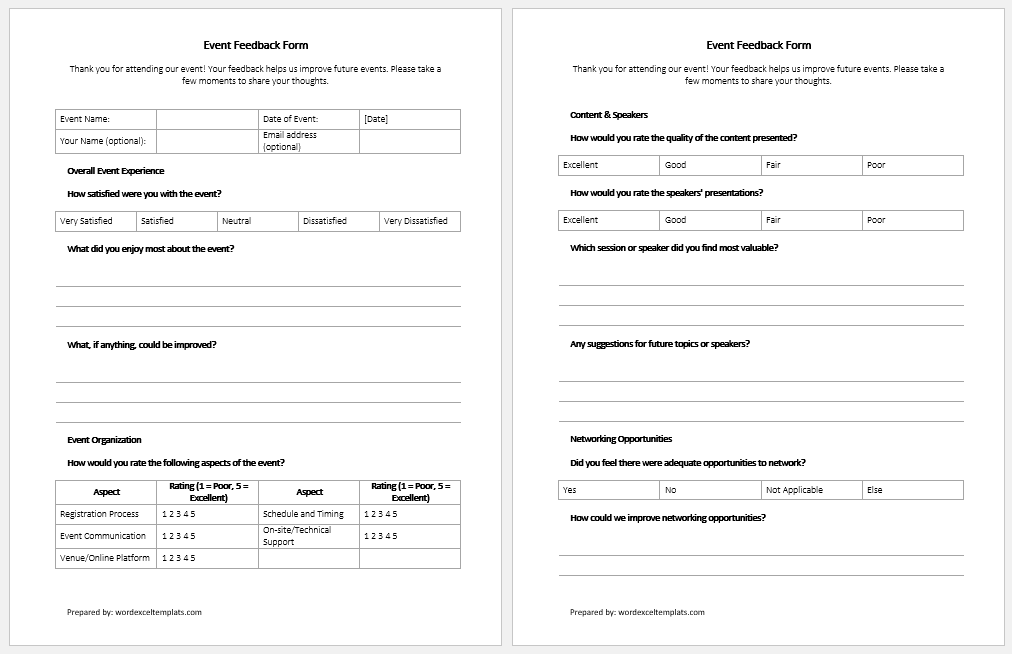
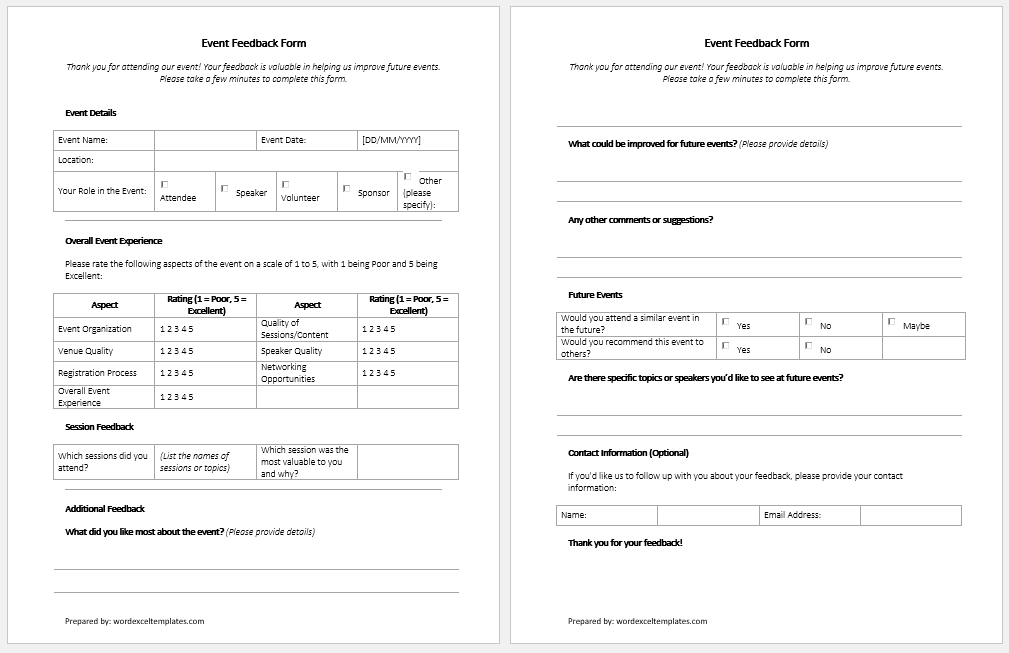
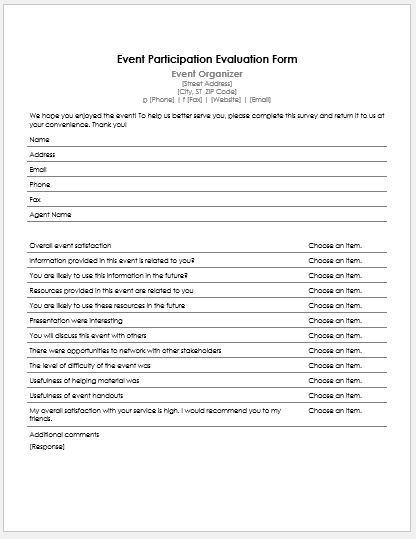
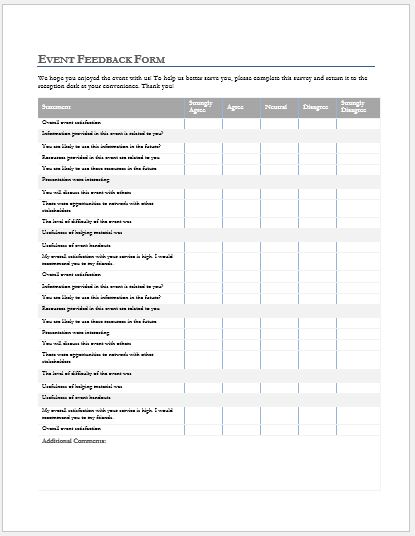
Prefer working offline? Download our fully editable MS Word Event Feedback Form Template to create professional feedback forms quickly. Simply replace the sample content with your event details, customize the questions, and print as many copies as needed.
The template includes sections for event information, participant details, rating questions, comments, and signatures. You can easily edit text, tables, fonts, colors, and add your organization’s logo.
Whether you choose the Online Event Feedback Form Generator for instant creation or the MS Word template for offline editing, both options help you produce professional, well-organized feedback forms in minutes.
File: Word (.docx) and iPad
Size 45 KB
File: Word (.docx) and iPad
Size 45 KB
- Safety Toolbox Talk Form
- Contractor Invoice Generator
- Site Inspection Checklist
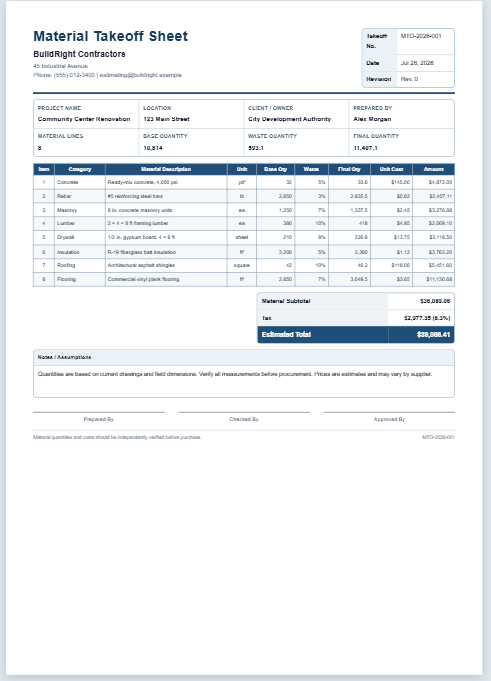
- Material Takeoff Sheet
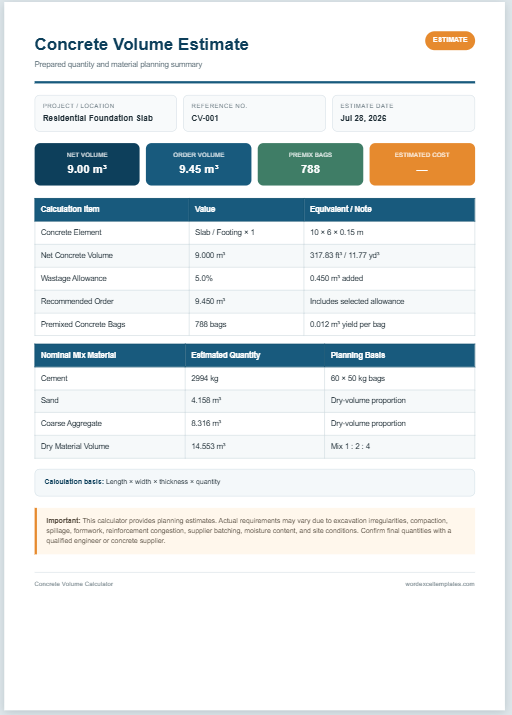
- Concrete Volume Calculator
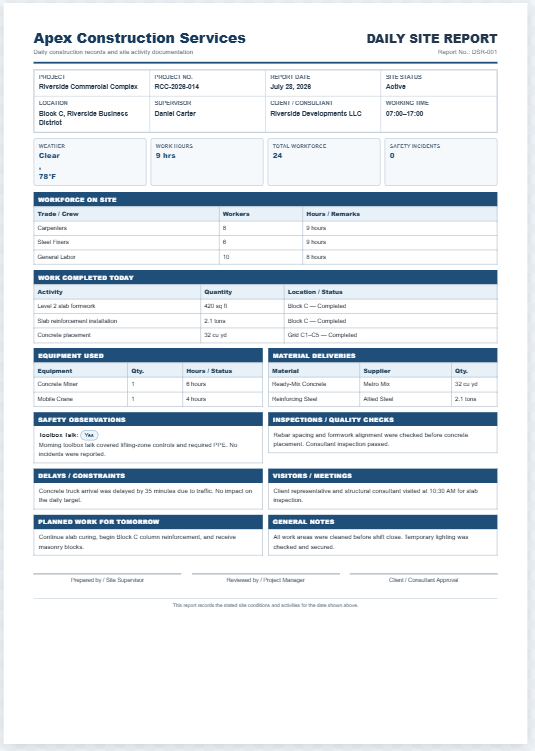
- Daily Construction Site Report Generator
- Work Order Generator
- Material Consumption Log
- Defect Tracking Sheet Template
- Shift Handover Form Generator
- Quality Inspection Report Generator
- Production Planning Sheet
- Machine Downtime Log
- Batch Manufacturing Record Sheet
- Production Report Generator
- Random Team Generator
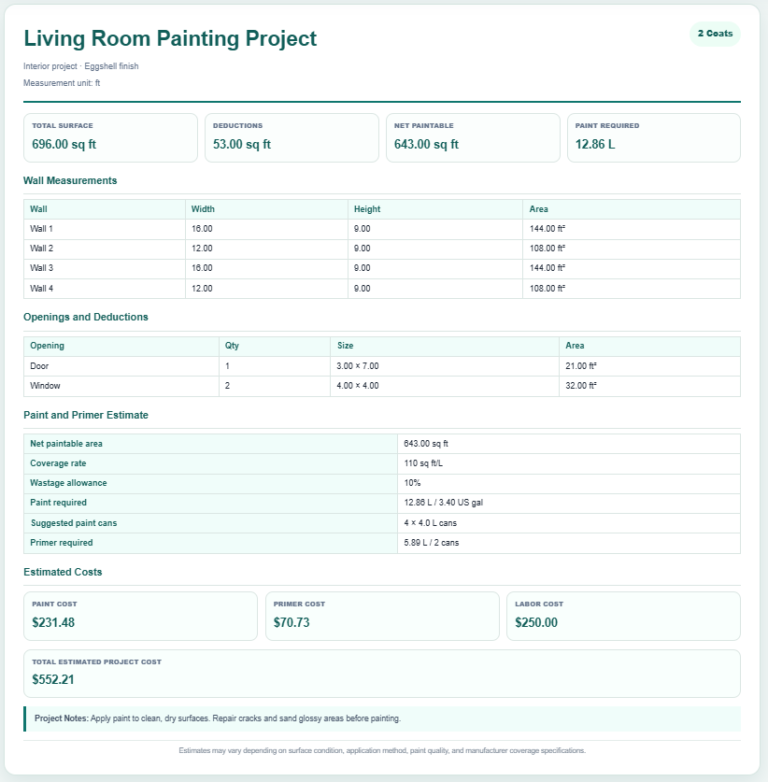
- Paint Coverage Calculator
- AI Shelf Label Generator
- Hall Pass Generator
- AI Working Days Calculator
- Seating Arrangement Generator